
Workstation vs Desktop: What’s the Difference and Which One Should You Buy?
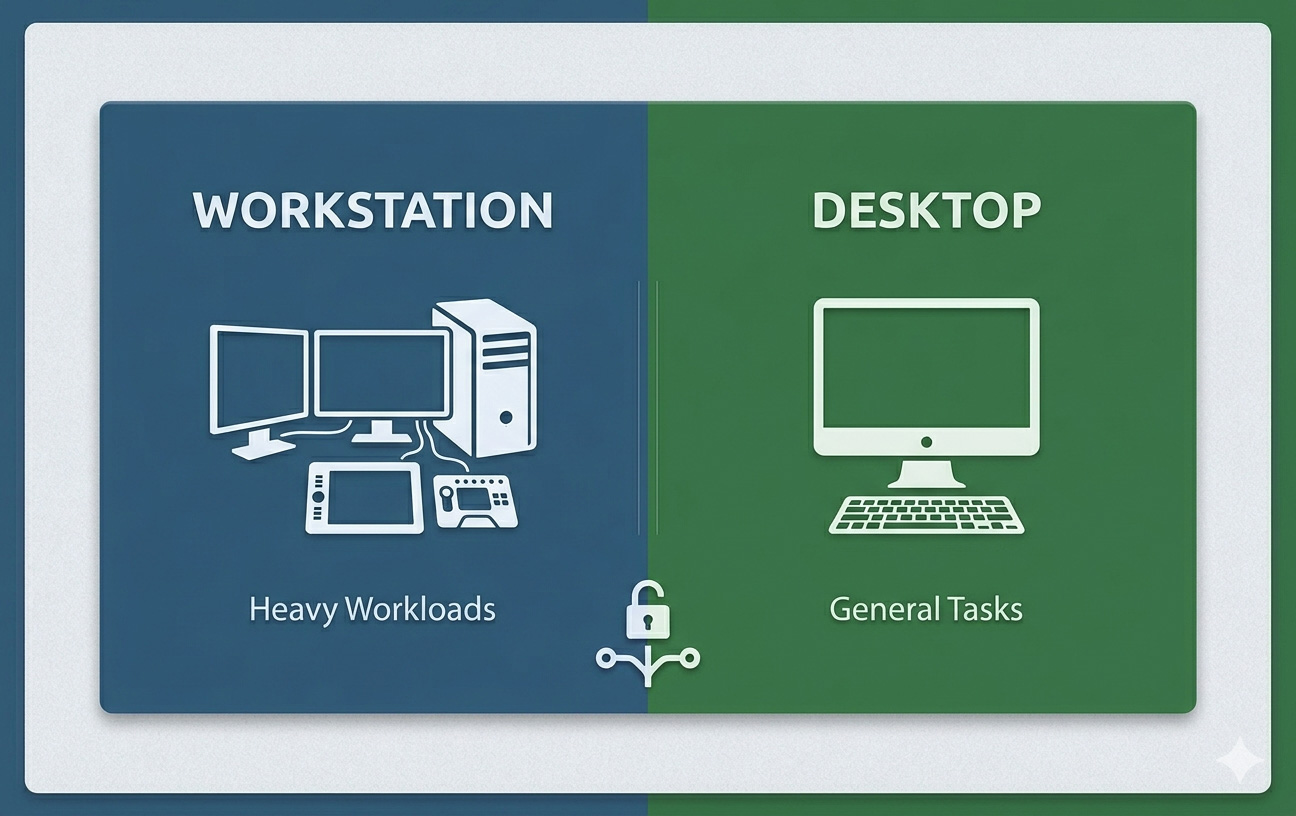
If you’ve ever shopped for a new computer, you’ve probably come across two terms that sound almost identical — workstation and desktop. Both sit on (or under) your desk, both have a tower, monitor, and keyboard, and both seem to do the same thing. So why do workstations often cost two or three times more than a regular desktop?
The truth is, while they look similar on the outside, workstations and desktops are built for very different purposes. In this guide, we’ll break down exactly what separates them, who each one is for, and how to decide which is the right choice for your needs.
What Is a Desktop Computer?
A desktop computer is a general-purpose personal computer designed to sit at a fixed location, like a home office or study. It’s built to handle everyday tasks such as web browsing, word processing, watching videos, gaming, and light creative work.
Most desktops you’ll find at retail stores — like those from Dell, HP, Lenovo, or custom-built gaming PCs — fall into this category. They typically use consumer-grade components: standard processors (like Intel Core i5/i7 or AMD Ryzen 5/7), regular DDR memory, and graphics cards aimed at gaming or general use.
Desktops are flexible, affordable, and powerful enough for the vast majority of users.
What Is a Workstation?
A workstation is a high-performance computer engineered for demanding professional tasks. Think 3D modeling, video production, engineering simulations, scientific computing, machine learning, CAD design, and architectural rendering.
Workstations look similar to desktops on the outside, but inside they’re a different beast entirely. They use enterprise-grade components: server-class processors (like Intel Xeon or AMD Threadripper Pro), ECC (error-correcting) memory, professional GPUs (like NVIDIA RTX A-series or Quadro), and certified drivers tested with professional software.
Brands like Dell Precision, HP Z series, and Lenovo ThinkStation are some of the most well-known workstation lines.
Workstation vs Desktop: Key Differences
Now let’s look at the specific areas where workstations and desktops differ — and why those differences matter.
1. Processor (CPU)
Desktops use consumer CPUs like Intel Core or AMD Ryzen, which are great for general computing and gaming. They typically have 6 to 16 cores.
Workstations use professional CPUs like Intel Xeon or AMD Threadripper Pro, which can have 24, 32, 64, or even more cores. They’re built for sustained, heavy multi-threaded workloads — the kind that would make a regular desktop overheat or slow down.
2. Memory (RAM)
Most desktops come with 8 GB to 32 GB of regular DDR4 or DDR5 RAM. That’s plenty for browsing, office work, or gaming.
Workstations use ECC (Error-Correcting Code) memory, which automatically detects and corrects memory errors. This is critical for tasks where a single bit of corrupted data could ruin a multi-day render or crash a complex simulation. Workstations often support 64 GB, 128 GB, 256 GB, or even more.
3. Graphics Card (GPU)
Desktops typically use consumer GPUs like NVIDIA GeForce RTX or AMD Radeon RX. These are optimized for gaming and casual creative work.
Workstations use professional GPUs like NVIDIA RTX A-series (formerly Quadro) or AMD Radeon Pro. These cards are certified for use with software like AutoCAD, SolidWorks, Maya, and Adobe Premiere Pro. They have specialized drivers that prioritize stability and accuracy over raw gaming performance.
4. Storage
Desktops usually come with one SSD and maybe a secondary hard drive. That’s plenty for personal use.
Workstations often support multiple high-speed NVMe drives in RAID configurations, allowing for redundancy, faster data access, and massive storage capacities — essential for handling large project files like 8K video footage or huge datasets.
5. Reliability and Build Quality
Workstations are designed to run 24/7 under heavy load. They use higher-quality components, better cooling systems, and undergo more rigorous testing than typical desktops. Many workstations are ISV-certified, meaning their hardware has been tested and approved for specific professional software.
Desktops, while reliable for everyday use, aren’t built to handle nonstop heavy workloads day after day.
6. Price
This is where the difference really hits home. A solid desktop might cost between $600 and $2,000. A workstation, on the other hand, can range from $2,000 to $10,000+ depending on configuration. Some high-end workstations used in scientific or film industries can exceed $20,000.
7. Software Certification
Workstations are certified to run professional applications like AutoCAD, Revit, SolidWorks, CATIA, ANSYS, Maya, and DaVinci Resolve. This certification means the manufacturer guarantees stable, optimized performance with that software. Standard desktops don’t get this kind of guarantee.
Quick Comparison Table
| Feature | Desktop | Workstation |
|---|---|---|
| Target User | Home users, students, gamers | Professionals, engineers, creators |
| Processor | Intel Core / AMD Ryzen | Intel Xeon / AMD Threadripper Pro |
| RAM | 8–32 GB standard | 32–512+ GB ECC |
| GPU | GeForce / Radeon RX | NVIDIA RTX A-series / Radeon Pro |
| Storage | SSD + optional HDD | Multiple NVMe drives, RAID support |
| Reliability | Standard use | 24/7 heavy workloads |
| Software Certification | Not certified | ISV-certified for pro software |
| Price Range | $600–$2,000 | $2,000–$10,000+ |
Who Should Buy a Desktop?
A regular desktop is the right choice for most people. You should go with a desktop if:
- You use your computer for everyday tasks like browsing, email, streaming, or office work.
- You’re a gamer who wants strong performance without enterprise pricing.
- You do light to moderate content creation — photo editing, casual video editing, or basic 3D work.
- You’re a student or home user looking for value and flexibility.
- You don’t need certified drivers or 24/7 reliability.
For 90% of users, a well-configured desktop will easily handle whatever you throw at it.
Who Should Buy a Workstation?
A workstation makes sense when your work demands more than a typical desktop can deliver. Consider one if:
- You’re an engineer or architect using CAD/CAM software like SolidWorks, AutoCAD, or Revit.
- You’re a 3D artist or animator working in Maya, Blender, Cinema 4D, or 3ds Max.
- You’re a video editor or colorist handling 4K, 6K, or 8K footage in Premiere Pro, DaVinci Resolve, or Avid.
- You work in machine learning, data science, or scientific computing where ECC memory and many CPU cores are essential.
- You’re running long simulations, renders, or compiles that take hours or days to finish.
- Downtime costs your business money — workstations are built for reliability.
If your job depends on heavy professional software running smoothly all day, every day, a workstation pays for itself quickly.
Common Misconceptions
“A high-end gaming PC is the same as a workstation.”
Not really. A gaming PC may have a powerful CPU and GPU, but it lacks ECC memory, professional GPU drivers, and ISV certifications. For gaming and casual creative work, it’s great. For professional engineering or scientific work, it’s not the same.
“Workstations are just overpriced desktops.”
It’s a common myth, but workstations cost more because they use higher-grade components, more rigorous testing, longer warranties, and provide certified compatibility with professional applications. You’re paying for reliability and performance under sustained heavy loads.
“I need a workstation to do video editing.”
Not necessarily. A modern desktop with a strong CPU, 32 GB of RAM, and a good GPU can handle most 1080p and even 4K editing well. Workstations only become essential at higher resolutions, with massive project files, or when you can’t afford any system instability.
Workstation vs Desktop: Which Should You Choose?
Here’s a simple way to decide:
- Choose a desktop if you want a flexible, affordable computer for general use, gaming, or moderate creative work.
- Choose a workstation if your livelihood depends on stability, certified software, and the ability to handle massive professional workloads day after day.
If you’re unsure, ask yourself one question: “Will my computer be a tool for fun and personal use, or is it a critical piece of equipment for my professional work?” The answer usually points you in the right direction.
Final Thoughts
The line between workstations and desktops has blurred over the years, especially as consumer hardware has become incredibly powerful. But for serious professionals working with demanding software, workstations still offer a level of performance, reliability, and certified compatibility that no regular desktop can match.
For everyone else — students, gamers, casual creators, and home users — a well-built desktop offers tremendous value and more than enough power. The right choice isn’t about getting the most expensive option; it’s about matching your computer to the work you actually do.
Whatever path you choose, focus on the components that matter most for your specific tasks, and you’ll end up with a system that serves you well for years to come.
Frequently Asked Questions (FAQ)
Can a workstation be used for gaming?
Yes, but it’s not ideal. Workstation GPUs are tuned for professional applications, not games. You’ll get better gaming performance from a desktop with a consumer GPU at a fraction of the price.
Is a workstation worth it for video editing?
It depends on the scale. For 1080p or basic 4K editing, a high-end desktop is fine. For 6K/8K footage, complex effects, or long timelines, a workstation’s extra cores and ECC memory make a big difference.
Do workstations last longer than desktops?
Generally, yes. Workstations use higher-quality components designed for continuous operation, so they tend to have longer lifespans under heavy use. Many also come with extended warranties.
Can I build my own workstation?
You can, and many professionals do. However, you’ll lose out on ISV certifications, vendor support, and integrated reliability testing. For mission-critical work, prebuilt workstations are usually a safer bet.
Is a workstation overkill for a small business?
For most office tasks, yes. But if your business depends on engineering, design, or media production software, a workstation can be a smart investment that prevents costly downtime.





%20your%20desk,%20both%20have%20a%20tower,%20monitor,%20and%20keyboard,%20and%20both%20seem%20to%20do%20the%20same%20%5B…%5D&media=https://nexcel.me/wp-content/uploads/2026/05/Workstation-vs-Desktop-Whats-the-Difference-and-Which-One-Should-You-Buy.jpg)