Mastering your networking solutions requires care and attention, like any other art. From the hardware and software capabilities of each device to the technologies it supports, there is so much more than just supporting network connectivity. So let’s look at the most common networking devices and their special features, side by side, so you can expand your knowledge right away!
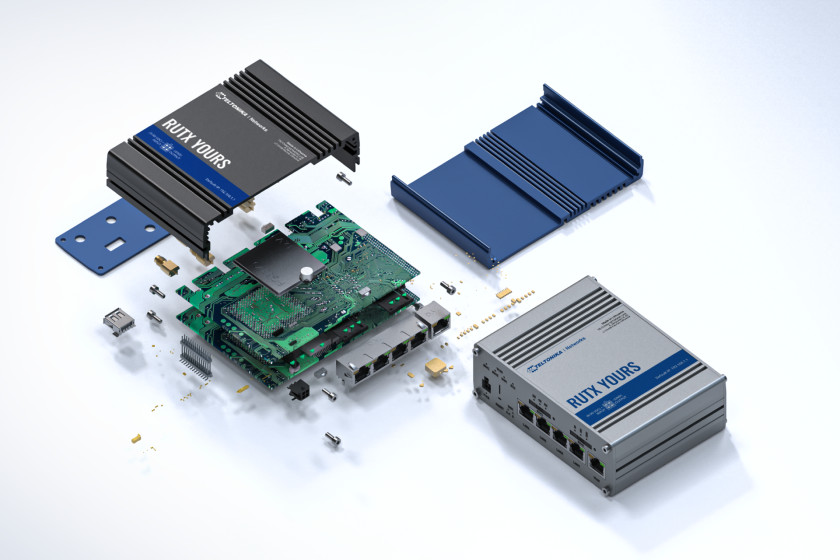
Undoubtedly, the variety of network devices available in the IoT market can lead to confusion about which device is suitable for which purpose. And since a well-balanced network infrastructure is crucial for management and overall security, it is more than advisable to know which option is best for you.
Don’t worry, we are here to help you understand the essentials behind each Teltonika Networks product category so you can become an expert in the fate of your solution!
CELLULAR MODEMS – ONE TASK AND NOTHING ELSE
Cellular modems like the TRM240 and TRM250 from Teltonika Networks perform a very simple but useful task in your network infrastructure: they are responsible for providing a network connection to the connected devices by converting cellular signals into electrical signals. The way they do this involves two function words: modulation and demodulation.
To allow a computer to access the Internet, a cellular modem demodulates analog signals it receives from external sources, such as a cellular connection, and converts them into a format the computer understands. Conversely, when data is to be sent from a computer back to the external source, a modem modulates the computer signals back into cellular signals.

This is where the modem gets its name from, because its main task (and actually its only task) is to modulate and demodulate these two types of signals.
Speaking of names, you may come across a source that uses “modem” and “router” interchangeably, which is incorrect. A modem and a router are two different network devices with very different capabilities and features.
ROUTER – TAKE CONTROL OF YOUR CONNECTIVITY
A router is a complex device that controls and directs the data packets in your network infrastructure and their path to the end devices. Some routers, like all Teltonika Networks routers, even have a built-in cellular modem. These routers eliminate the need for a modem to connect your network solutions to the Internet, becoming the sole brain of network management.
These network devices can be mobile or non-mobile and differ in their WAN capabilities: Cellular routers are the perfect choice when supporting connectivity cannot affect the mobility of the solution or when supporting mobile connectivity is required. Non-mobile routers are ideal when industrial network solutions are stationary and do not require an additional WAN interface.

Since the main task of routers is to control the transmission of data packets from the WAN to the LAN and vice versa, routers can be equipped with several interfaces to facilitate the reading of data. Ethernet, SFP, RS232 and RS485 interfaces are additions to the router that help reduce the number of converters required for communication or data exchange.
The integration of these interfaces directly into the routers makes it easier to support a wide range of applications, ranging from simple network infrastructure in the home office to mission-critical industrial network solutions .
In addition, routers offer the ability to configure and control Wi-Fi networks, allow or deny Internet access for end devices, prioritize data traffic, define specific data transfers, and implement a variety of other configuration options.
Routers have several built-in security measures such as firewalls, VPNs, and other data tunneling services. These measures are good for preventing unauthorized access or data leaks.
CELLULAR GATEWAYS – FOR YOUR NICHE NETWORK SOLUTIONS
If you look at the features of most gateways and routers, you will notice that there are many similarities between these two devices. Both routers and gateways operate autonomously and are usually equipped with extensive security features such as firewalls and data tunneling.
However, the main difference between these devices is the number of interfaces and the number of devices they can support. While routers support multiple interfaces, cellular gateways are usually designed for only one interface.
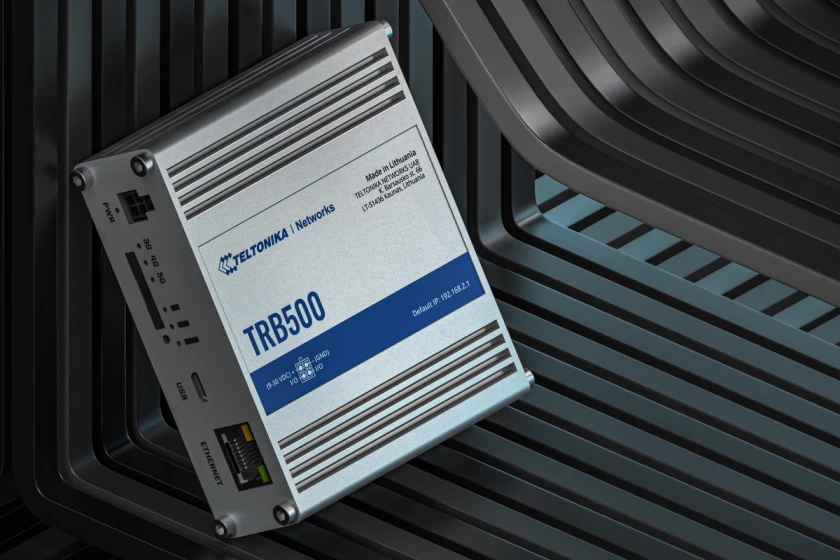
Just one interface? Yes. Gateways are a more suitable option as they provide a simpler and more cost-effective way to deploy network solutions with Internet access than would be possible with some routers.
Cellular gateways can be designed for niche technologies, protocols or data reading , minimizing the need for additional data converters or components that could increase security risks or concerns. An example of this is our TRB143 , which is specifically designed to support the M-Bus protocol for telemetry data.
NETWORK SWITCHES – MORE CONNECTIVITY WITHOUT THE HASSLE
In short, network switches are data and connectivity distributors that are used within the infrastructure of your network solution. These devices have additional interfaces to which you can connect additional end devices and thus expand your local area network (LAN).
Teltonika Networks offers two types of network switches – Unmanaged and Managed Switches. Both are designed to improve the scalability of network solutions, but they differ in functionality and the complexity hidden behind the aluminum casing .

Unmanaged switches are plug-and-play switches that can be easily integrated into your network infrastructure. By simply plugging them into your network solution, you can immediately expand its scalability without having to make any additional settings or configurations. In contrast, managed switches are more complex.
These network switches offer advanced control and monitoring capabilities for your network devices, but using them effectively requires a little more technical know-how . If you want to know what lies behind the magic and power of Ethernet switches , now is the best time to do it!
WIRELESS ACCESS POINTS – YOUR PORTAL TO WIRELESS COMMUNICATION
Whenever you ‘re struggling with dead spots in your Wi-Fi network , wireless access points come to the rescue. Similar to network switches, these devices extend the Internet capability of your network, but wirelessly.

Connected to your network infrastructure via Ethernet cables, access points enable seamless network sharing with end devices such as laptops or tablets. This distributes data traffic across more devices and avoids network overload.
Wireless access points like the TAP100 and TAP200 from Teltonika Networks are typically mounted on the ceiling and are designed to blend in unobtrusively with the environment and not cause installation hassles. To achieve this, these wireless access points are equipped with PoE technology, which allows for convenient power delivery over the same Ethernet cable used for the connection.
The highlight of the wireless access points is that they support WPA3, the same data encryption technology used in Teltonika Networks routers, which increases security.
CONGRATULATIONS, YOU ARE NOW AN EXPERT!
It’s been a long journey, but it’s been worth it – understanding and knowing the purpose and specifications of each device will be very useful when selecting components for your network solution. If you’d like to try out any of Teltonika Networks’ devices, feel free to contact us for more details!