Reports suggest that a small portion of Intel Core i9-13900K and Core i9-14900K processors might face instability during gaming sessions or when handling intensive workloads. For those encountering this challenge, Intel has suggested some potential solutions to alleviate the issue.
Restoring the Power Limit to Its Default Setting
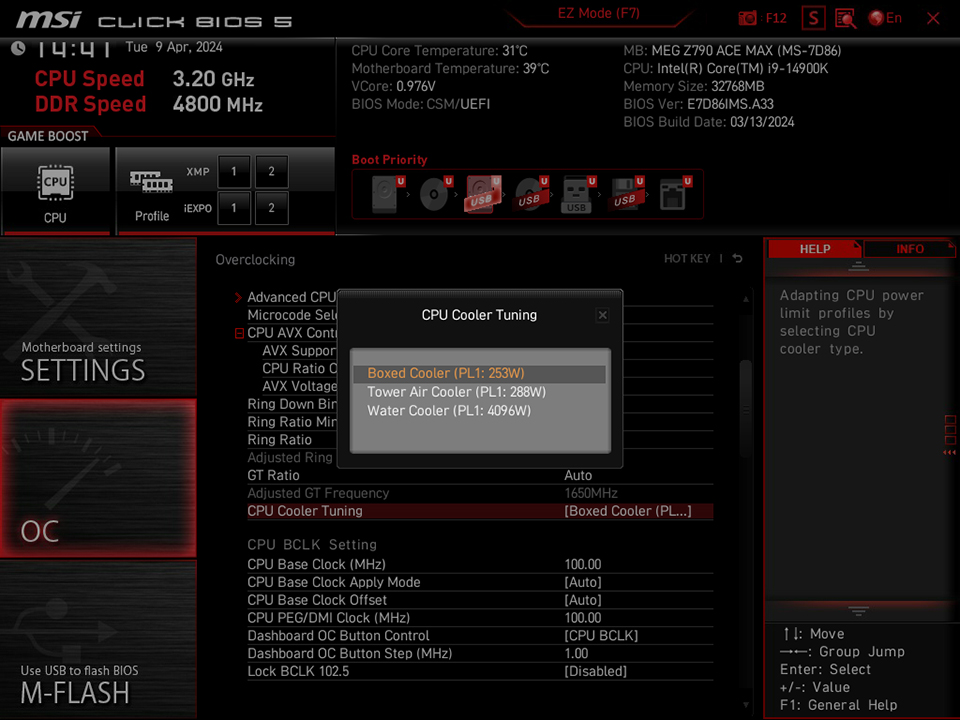
MSI BIOS offers a convenient method to reset the processor’s power and current limits to their default settings with “CPU Cooler Tuning”. Just go to the CPU Cooler Tuning menu and choose “Boxed Cooler” to return the Power Limit to 253W. Keep in mind that resetting these limits to default could result in a slight decrease in CPU performance.
Resetting CPU Voltage Behavior to Default
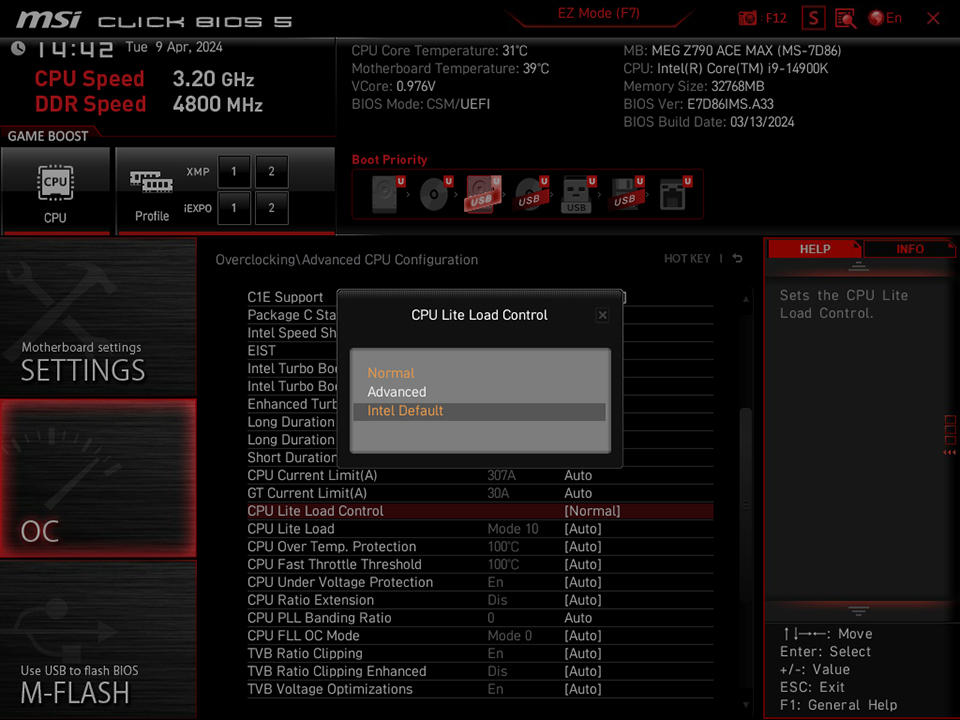
To reset the CPU voltage behavior to its original settings, navigate to the “CPU Lite Load Control” section in the MSI BIOS and choose the “Intel Default” option. It’s worth noting that opting for default settings might lead to a rise in the voltage of the processor.
These instructions are particularly useful for tackling stability concerns and enhancing the gaming performance of Intel Core i9-13900K and Core i9-14900K processors.
Note: How to Lower the Default CPU Voltage?
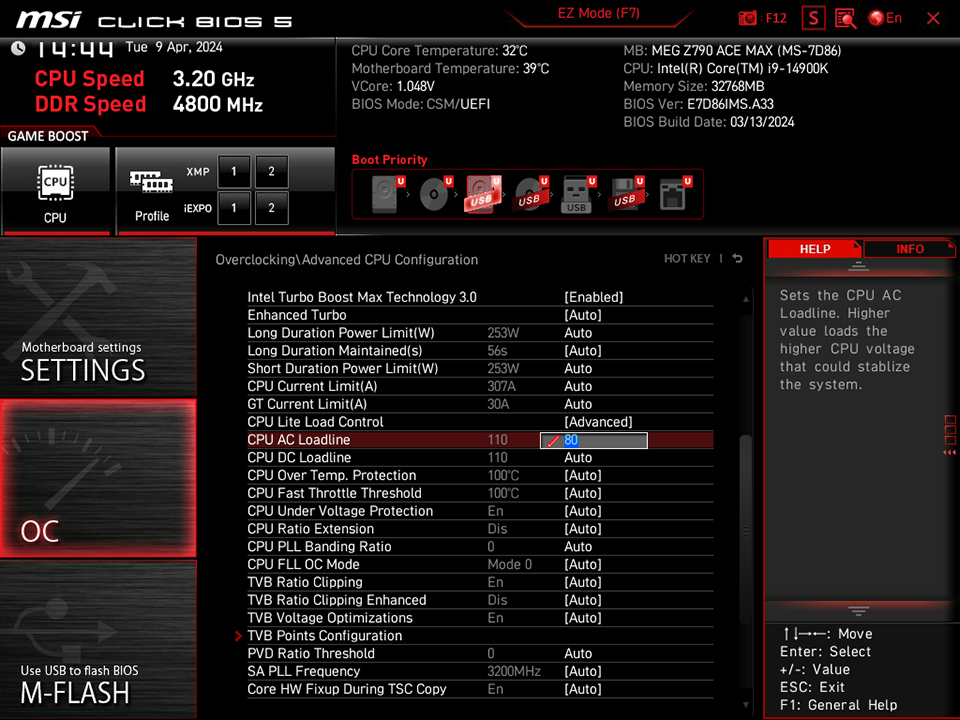
If you think the default CPU voltage from Intel is too high and you want to reduce it, you can manually adjust it using the “Normal” mode in “CPU Lite Load Control.” Start from Mode 15 and work your way down by trying lower modes (like Mode 14, Mode 13, Mode 12, and so on) until you find the lowest stable mode.
Another option is to choose the “Advanced” mode in CPU Lite Load Control and input a lower value for “CPU AC Loadline” to decrease the CPU voltage.