When to Buy a Workstation for Your Business
Deciding whether your business needs workstations or if standard desktops or laptops will suffice hinges on the specific roles and requirements within your company. Workstations can significantly boost productivity, particularly for employees like engineers and content creators who handle complex, resource-intensive tasks. Conversely, many employees can perform their duties efficiently with more basic desktop PCs or laptops.
There isn’t a one-size-fits-all answer to the workstation versus desktop (or laptop) debate. Assess your company’s needs as we explore the differences between workstations and standard PCs, identify the roles that benefit most from workstations, and examine the advantages these powerful machines offer.
What is a Workstation?
Workstations are high-performance desktop PCs designed to manage demanding workflows such as data science, 3D design, video editing, and engineering. They feature superior specifications, including faster CPUs and GPUs, increased memory and storage, software certifications, and the durability to endure constant usage.
Typically, workstations include a discrete GPU, allowing the CPU to focus on processing tasks. With various configuration options, you can tailor a workstation to your specific needs and budget.
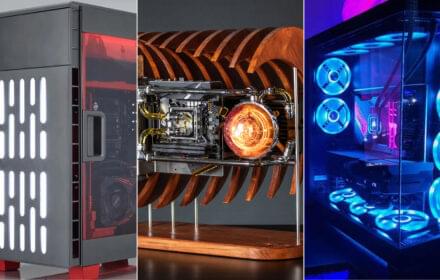
Traditionally housed in a tower chassis, workstations now come in various forms like Tower, Small Form Factor Desktop, Mini, and mobile workstations.
Workstation vs. Desktop vs. Laptop
The main difference between workstations, desktops, and laptops lies in performance. For a computer to qualify as a workstation, it must meet certain baseline specifications:
- CPU: Intel® i7 or i9, Xeon, AMD Ryzen, or Threadripper
- Cores: At least 8 for entry-level, 16 for mid-range, and 28 to 64 for high-end
- Memory: Up to 128GB of non-ECC or ECC RAM
- GPU: Discrete NVIDIA® or AMD with 4GB to 16GB of VRAM
- Storage: 1TB or more, often with SSDs
- ISV Certifications
While workstations used to be bulkier and more expensive due to their industrial-grade components, advancements have made them lighter and more affordable without compromising on performance. Modern workstations may generate more noise due to powerful components, though innovations like HP VaporForce thermals help manage heat and noise.
Key Features of a Workstation
To understand what sets a workstation apart, consider these essential features:
- ECC RAM: Error-correcting code memory minimizes data corruption, preventing crashes and slowdowns during intensive tasks.
- Multiple Cores: Essential for multitasking in resource-heavy applications like data modeling and 3D rendering.
- High-End GPUs: Critical for video editing, 3D graphics, and engineering design, ensuring faster and more accurate rendering.
- RAID Storage: Provides data redundancy, safeguarding against data loss during critical tasks.
- SSD Storage: Ensures faster, more reliable data storage and retrieval compared to traditional hard drives.
Workstation Costs
Workstations typically come with higher price points due to their advanced specs, though technological advancements have made them more affordable. Components in workstations are designed for higher performance and reliability, and many models offer customization to fit specific needs without unnecessary upgrades.
When to Use a Standard PC
For everyday business tasks like word processing, spreadsheet management, video calls, and web browsing, standard desktops and laptops are sufficient. Workstations excel in processor-heavy applications but aren’t necessary for routine office work.
Advantages of Workstations
- Performance: Ideal for demanding tasks such as healthcare modeling and AutoCAD design.
- Durability: Built with higher-quality components and subjected to rigorous testing.
- Expandability: Allows for future upgrades to keep up with evolving workflows.
Roles That Benefit from Workstations
- Data Scientists: Require robust CPUs and GPUs for handling massive datasets and complex modeling.
- 3D Designers: Need advanced graphics cards for real-time rendering and large storage for project files.
- Engineers: Benefit from faster processors and powerful GPUs for detailed CAD tasks.
- Video Editors: Demand high processing power for handling large video files and high-resolution footage.
- Marketing Professionals: Require powerful machines to work with large graphic design and photo files.
- Healthcare Professionals: Need efficient data processing capabilities to handle extensive datasets.
Employees Who Don’t Need a Workstation
Employees who primarily use standard applications like MS Office, Google Drive, QuickBooks, and web browsers can perform well with standard computers.
Recommended HP Workstations
For those needing the power of a workstation, HP offers a range of options:
Desktop Workstations:
- HP Z2 Mini: Compact with high-end performance.
- HP Z2: Affordable with server-grade power.
- HP Z4: Versatile for designers and engineers.
- HP Z6: Highly expandable for data science and visualization.
- HP Z8: Customizable for advanced tasks.
Mobile Workstations:
- HP ZBook Studio: Portable for creative professionals.
- HP ZBook Power: High performance at a low price.
- HP ZBook Create: Sleek design with real-time rendering.
- HP ZBook Firefly: Lightweight for mobile computing.
Summary
While workstations are essential for certain roles like engineers and data scientists, most employees using standard office applications can manage with regular PCs. Assessing your team’s specific needs will help you determine the right computing solution for your business.