
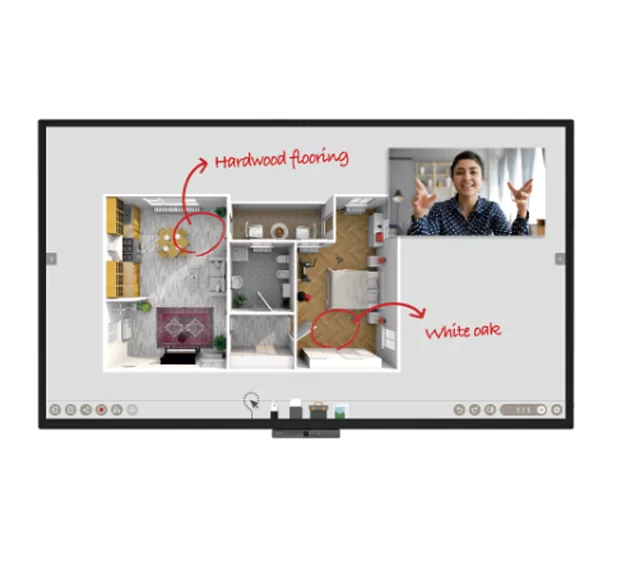
BenQ CP8601K Interactive Flat Panel – Elevate Your Learning and Collaboration in Bahrain
Duo Boards
By connecting two DuoBoards, users can seamlessly extend the collaboration space and develop borderless ideas. They can use the EZWrite to work jointly with their teammates to complete a complicated task. Files saved in individual DuoBoards can also be shared between DuoBoards. This feature is designed to foster teamwork and stimulate innovation.
Duo Windows
DuoBoard’s Duo Windows feature allows users to work on two tasks simultaneously on a single IFP, doubling efficiency. Users can open two applications simultaneously and complete multi-tasks quicker than ever before. For example, they can compare two documents, write meeting minutes during a video conference, search for information while brainstorming, or open an Android app with other input source data.
Duo OS
Duo OS is a cross-platform operating system that can be used with Android, iOS, macOS, and Windows devices. This means that users can easily switch between devices and continue working on their projects. For example, users can capture a picture file from their Android device, edit it with EZWrite on a Windows PC, and then save it to the cloud for future use. Duo OS makes it easy to collaborate with others, regardless of the platform they are using.
Flexible and Convenient Annotation
Cloud-Based Annotations and Collaboration
EZWrite 5’s powerful cloud features allow employees to share notes and ideas seamlessly, regardless of their location. With BenQ’s exclusive AMS service, employees can save materials in the cloud and access them directly from the BenQ IFP, without the need for a laptop or smart device.
Sticky Notes
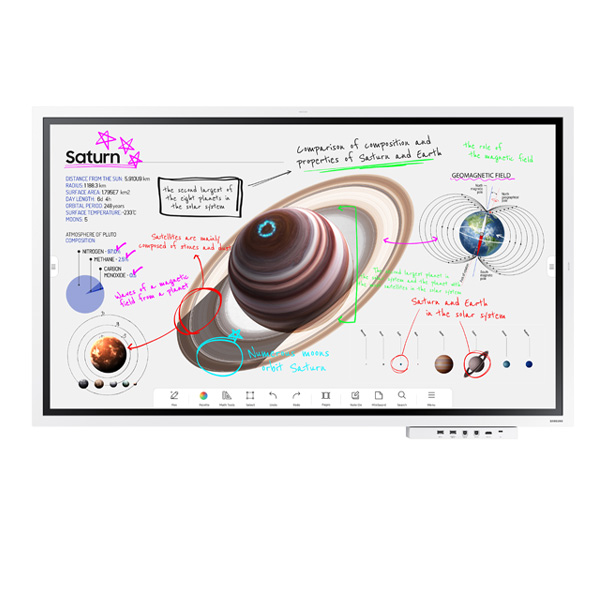
EZWrite 5 is a leading annotation solution that is packed with user-friendly features. It can boost collaboration and communication during meetings by allowing employees to collect, categorize, edit, and share notes between the IFP and their mobile devices or laptops. This ensures that employees will always have access to their important materials, regardless of their location.
Flexible Screen Capture and Import
EZWrite’s Floating Tool allows users to capture screenshots of anything on screen, regardless of the source. This includes content from apps, websites, and videos. Users can then import this content into EZWrite 5 for further discussion and annotation on a new page.


Reviews
There are no reviews yet.